It’s an exciting time to be a TV viewer in the UK! For years, we’ve gotten used to big satellite dishes and long, tricky contracts. But guess what? Things are changing fast. More and more people are moving toward TV that is flexible, easy to use, and runs mainly on the internet. We’re talking about streaming-based TV packages that let you watch what you want, when you want, without being tied down. This big shift is why so many people are asking about Switching from Sky to EE TV. It’s a move that promises more control over your entertainment and your wallet.
The Problem: Are Your Sky Bills Too High?
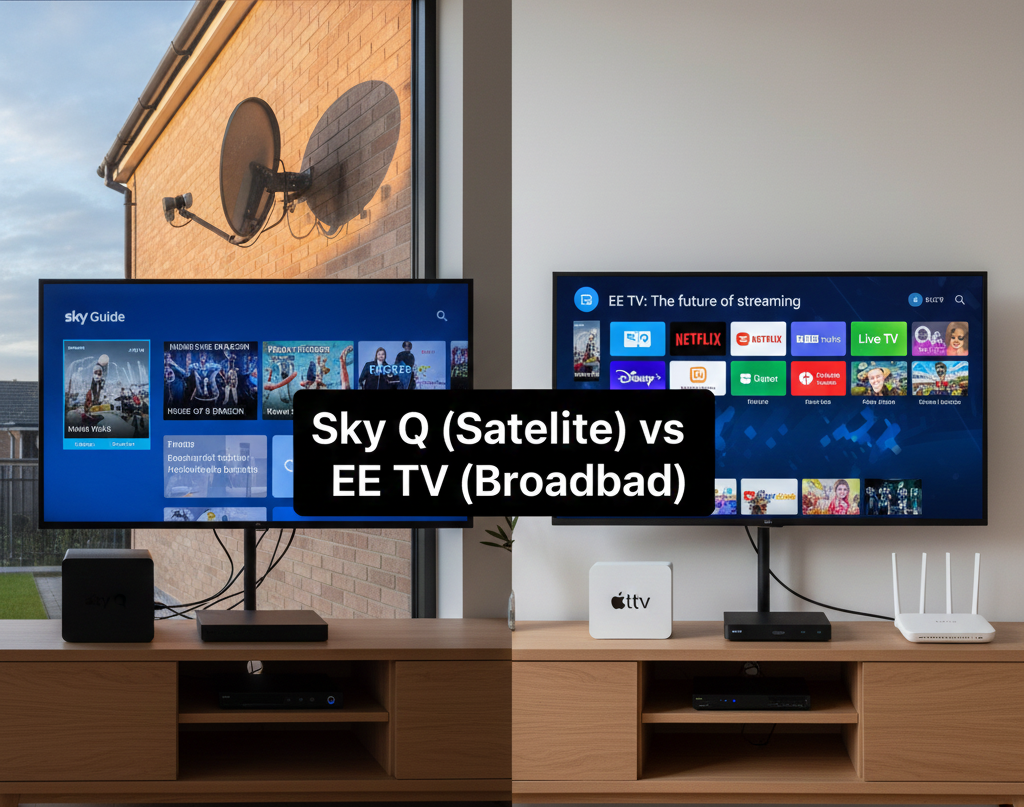
Let’s be honest. Many UK households have loved Sky TV for a long time. They brought us amazing channels and innovative technology. But lately, many users feel stuck.
Here are the main frustrations we hear:
- Sky’s Pricing: The monthly cost seems to creep up every year, making your budget feel tight.
- Contract Rigidity: Those long-term contracts can feel like a trap. If you want to change your package or stop a service, it can be difficult or expensive to do so.
- Too Much Clutter: You might be paying for channel packs you barely watch just to get one or two essential channels.
You deserve a service that works for you, not the other way around. This is where the solution comes in.
The Solution: Why Switching from Sky to EE TV is the Smart Move
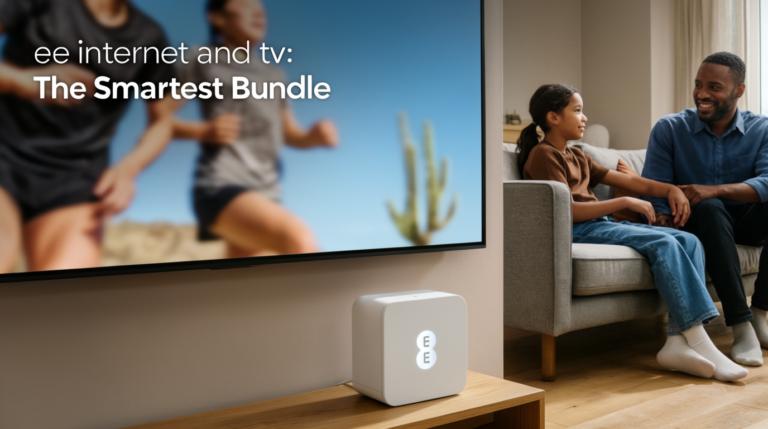
The big news in UK TV right now is the rise of EE TV. It’s part of a powerful, modern network that puts flexibility first. Switching from Sky to EE TV isn’t just about changing providers; it’s about upgrading your experience to one built for the streaming age.
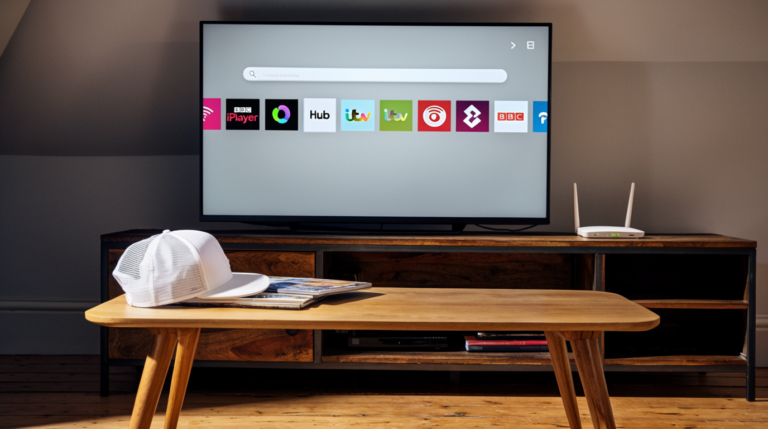
EE TV uses your home internet (broadband) to deliver most of its content. This means:
- Flexibility: You can usually change, add, or drop channel packs every month.
- Simplicity: No need for a satellite dish installation—just plug and play with your new box.
- Modern Tech: It uses the lightning-fast Apple TV 4K or the smart EE TV Box Pro, combining your subscriptions into one easy place.
The Core Benefits of Switching from Sky to EE TV
The main reasons people are making the move today revolve around these three points:
- Lower Cost: EE TV often provides better initial deals and more control over spending.
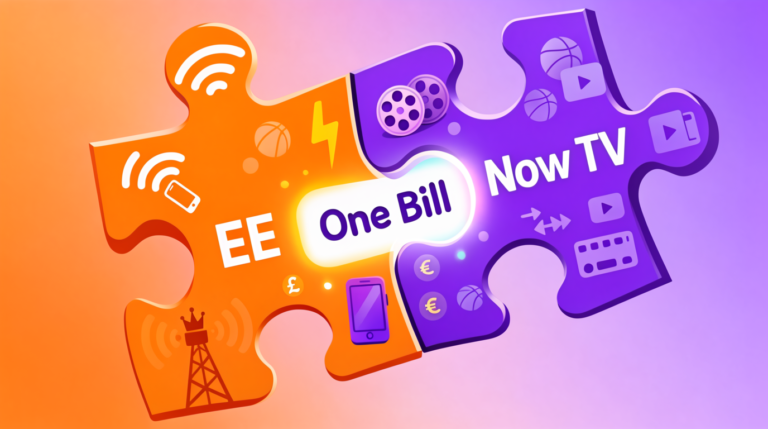
- Great Content: You still get all the must-have channels, including Sky channels, through partnerships like NOW, but often at a better price.
- Future-Proofing: You are moving to a broadband-based platform, which is the future of TV viewing.
Now that you know why people are considering this move, let’s dive into the specifics of why Switching from Sky to EE TV might be the best financial and entertainment decision for you this year.
Why Consider Switching from Sky to EE TV?
Switching from Sky to EE TV brings a fresh approach to home entertainment, focusing heavily on what modern viewers truly value: control and excellent performance.
Cost Efficiency: Save Money and Gain Flexibility
One of the most compelling reasons to move is the money you can save. Unlike Sky’s traditional big bundles, EE TV encourages you to build a package that fits your exact needs.
- Modular Packages: You don’t have to buy a massive Entertainment bundle just for one channel. You can select smaller, focused packs.
- Monthly Swapping: EE lets you “swap” your packs. For example, if the Formula 1 season ends, you can easily drop the Sports package for a month or two, saving money, and then add it back when the new season starts. This flexibility is rarely seen with traditional Sky contracts.
- Bundling Discounts: If you already have EE or BT Broadband (or are planning to get it), combining your broadband and TV usually results in a significant monthly discount that makes Switching from Sky to EE TV even more cost-effective.
Hardware Innovation: The Apple TV 4K or the EE TV Box Pro
The device you use to watch TV matters. EE TV offers two amazing options that are leaps and bounds ahead in terms of speed and integration.
| Feature | EE TV Box Pro | Apple TV 4K |
| Type | Standard Set-Top Box | High-End Streaming Player |
| Recording | Yes (500GB built-in hard drive) | No (Relies on Cloud Catch-up) |
| Control | Standard Remote | Siri Remote (Voice Control) |
| Best For | Users who must record live TV | Users who mostly stream apps and love speed |
The Apple TV 4K option is particularly innovative for UK TV. It brings the sleek, responsive Apple experience to your main TV, seamlessly mixing live TV with apps like Netflix and Disney+—something that makes the user experience much smoother than many traditional satellite boxes. This advanced hardware alone is a major draw for people Switching from Sky to EE TV.
Content Freedom: How EE TV Lets You Control Your Viewing
EE TV understands that your viewing habits change. Maybe you binge-watch every movie in December, but only watch sports in the summer. EE TV’s “Content Freedom” is key to enjoying TV without the financial pressure.
This means you can:
- Add a Package: Subscribe to the Cinema Pack for a month.
- Enjoy the Content: Watch all the latest movies.
- Drop the Package: Stop paying for it until you want to watch new movies again.
This ability to tailor your TV subscription monthly is a major advantage when Switching from Sky to EE TV, giving you genuine control over your finances. You’re only paying for what you actively watch.
Top 5 EE TV Channels and Packages You Need to Know
If you are Switching from Sky to EE TV, you are likely worried about losing your favorite shows and sports. Don’t be! EE TV has smart partnerships that ensure you keep the premium content you love, especially the best Sky channels.
1. Entertainment Pass: Keep Access to Sky Atlantic and Sky Max
This is the big one. Many people fear Switching from Sky to EE TV means losing flagship shows like House of the Dragon or Succession. EE TV solves this by integrating with NOW.
- What you get: Access to Sky Atlantic, Sky Max, Comedy Central, Peacock, and other must-watch entertainment channels.
- The Benefit: You get the best of Sky’s drama and entertainment without the full Sky contract or hardware commitment. This makes the move seamless.
2. Big Sport: Essential Coverage for Sports Fans
For many households, the ability to watch live sports is non-negotiable. The “Big Sport” package has you completely covered.
- What you get: All 4 TNT Sports channels (formerly BT Sport) plus Eurosport 1 and 2.
- The Benefit: You’re covered for UEFA Champions League, Premier League matches, UFC, and top-tier cycling and tennis. If you watch sports regularly, this package provides massive value.
3. Full Works: The Ultimate Bundle
If you want the maximum content available, the Full Works package is designed for ease and completeness.
- What you get: This huge bundle combines the best of everything:
- Sky Sports (via NOW)
- Sky Cinema (via NOW)
- Netflix (Standard or Premium subscription)
- TNT Sports
- The Benefit: This is perfect for those who want a premium experience but still appreciate the single bill and the flexibility of the EE TV platform. It keeps everything you had with Sky (and more) neatly organized.
4. Freeview Integration: Over 70 Channels for Free
Remember, premium channels are only part of the story. EE TV ensures you don’t miss out on the UK basics.
- What you get: Over 70 Freeview channels, including BBC, ITV, Channel 4, and Channel 5.
- The Benefit: If you connect your EE TV Box Pro to a standard TV aerial, you can get all these channels with an easy-to-use TV Guide, just like you would with Sky. Plus, the EE Box allows for up to 500 hours of recording.
5. Children’s Packs and International Channels
EE TV offers smaller, dedicated packages like the Kids Pack (via NOW) for family viewing and specialized international channels. This allows you to tailor your viewing exactly to your household’s needs without buying expensive, bloated bundles.
For families, this means Switching from Sky to EE TV doesn’t mean compromising on content for the little ones!
How to Prepare for the Move
Before you hit that “Subscribe” button, a little planning goes a long way to making Switching from Sky to EE TV a smooth, painless process.
Check Your Broadband Speed: The Foundation of EE TV
Since EE TV relies on your internet connection (your broadband), its speed and reliability are crucial, especially if you want to watch in stunning 4K.
- Minimum Speeds: You generally need a stable connection of at least 10 Mbps to stream HD content comfortably.
- 4K Streaming: If you want crystal-clear Ultra HD, you should aim for 30 Mbps or higher.
- EE/BT Broadband: EE TV is designed to work best with EE or BT broadband (as they are part of the same company). Check your postcode on the EE website to see what speeds you can get. If you are already on BT or EE broadband, you are already ahead of the game!
Review Your Sky Contract: Avoiding Exit Fees
This is the most important financial check before you commit to Switching from Sky to EE TV.
- Check the Date: When does your minimum contract period with Sky end? If you leave early, you may face expensive exit fees. Wait until your contract is close to its end date.
- The 30-Day Notice: Once your contract is over, you usually still have to give Sky about 30 days’ notice that you are canceling. Factor this into your timeline for getting EE TV installed.
- Keep a Record: Note down the date you contacted Sky to cancel. This is good practice for any major service change.
Hardware Compatibility: What to do with Your Old Sky Kit
Once you are done with Sky, you will be left with the physical equipment: the Sky Q Box, the Sky Glass TV, and the satellite dish.
- Sky Q Box: Sky usually expects you to return the box. They will send you packaging. Don’t throw it away!
- Sky Glass TV: If you bought a Sky Glass TV, you own it, but many of its smart features won’t work perfectly without an active Sky subscription. You’ll need an external box (like your new EE TV Box Pro) to get the most from it.
- Satellite Dish: The dish itself is usually left on your wall. It’s often harmless to leave it there, though you can pay a local engineer to remove it if you wish. Thankfully, you won’t need it for your new EE TV service!
Step-by-Step Guide: Switching from Sky to EE TV
Follow these four simple steps to successfully make the switch and start enjoying your new flexible TV service.
1. Select Your EE TV Bundle
EE offers different tiers, so you need to pick the one that matches your viewing habits and budget.
- The Basic Streamer: If you mostly use Netflix/Amazon/Disney+ and only watch a little live TV, start with the basic EE TV service and add the NOW Entertainment pass for Sky Max/Atlantic.
- The Sports Fan: If live sport is your priority, make sure you choose the plan that includes the Big Sport pack (for TNT Sports) or the Full Works pack (for Sky Sports and TNT Sports).
- The All-In Viewer: The Full Works bundle is for you if you want everything Sky offers, plus a full Netflix subscription, all combined into one simple bill.
Tip: Remember, you can always change these packs later! Start with what you need and add more later if you find yourself missing something.
2. Place Your Order and Bundle Your Services
The best way to get a great deal when Switching from Sky to EE TV is to order everything together.
- Use the EE Website: Navigate to the EE TV section.
- Bundle and Save: Select your chosen EE TV package and make sure to bundle it with an EE broadband plan. This is where the biggest savings happen.
- Confirm Installation: The system will confirm your installation date. Since EE TV often works over broadband, installation is usually a quick “plug and play” process.
3. The Installation Process: Simple Plug-and-Play
One of the best things about Switching from Sky to EE TV is the simple setup.
- The EE TV Box Pro: This box simply plugs into your TV via an HDMI cable and connects to your EE/BT broadband router. A simple on-screen guide walks you through the rest.
- The Apple TV 4K: You plug the Apple TV box into your HDMI port. You then download the dedicated EE TV app to access your live channels and recordings.
- No Satellite Engineer: Since the service is delivered by the internet, you usually don’t need a specialist engineer visit to install a satellite dish, saving you time and hassle.
4. Transferring Apps and Settings
You probably have subscriptions to other major streaming services. You don’t lose these when Switching from Sky to EE TV—you just access them differently.
- On the EE TV Box Pro: Major apps like Netflix, Amazon Prime Video, and Disney+ are pre-installed. You just log in with your existing account details.
- On the Apple TV 4K: Download the apps from the App Store and log in.
- Keep Your Profiles: Since you are using your existing login details, you keep all your watch history, user profiles, and settings exactly as they were. This makes the move feel much smoother.
The entire process of Switching from Sky to EE TV is built to be simple and convenient, especially compared to the old days of complex satellite installations.
Comparing the User Experience: Sky vs. EE TV
The biggest difference after Switching from Sky to EE TV is how you interact with your TV.
Interface and Navigation: Speed and Simplicity
- Sky’s Home Screen: Sky Q and Sky Glass have their own distinct interfaces, usually prioritizing live TV and their own catch-up services. While familiar, some users find them to be slow or cumbersome when navigating between apps.
- EE TV’s Interface (Apple TV 4K): This is where EE TV truly shines. The Apple TV interface is lightning-fast, and its main focus is on integrating all your services (live channels, Netflix, iPlayer, etc.) into one smooth experience. You can switch from watching a live football match to a Netflix show in seconds, without any delay.
- EE TV Box Pro: The Box Pro runs on a standard platform that integrates all your services well, offering a simpler, more traditional TV experience while still housing your apps.
Recording and Catch-up: Cloud vs. Hard Drive
How you record your shows is a key difference when Switching from Sky to EE TV.
- Sky Recording: Sky uses a physical hard drive inside the box to store recordings.
- EE TV Recording (EE TV Box Pro): The Box Pro uses a physical hard drive (500GB) for up to 500 hours of recording capacity, much like Sky Q.
- EE TV Catch-up: The service also features a fantastic 7-day scroll back feature. This lets you scroll back through the TV Guide and launch shows you missed from the last week directly from services like iPlayer or ITVX, which often means you don’t even need to record! This reliance on catch-up is an effective modern feature.
Multi-room Options
If you have TVs in the bedroom, kitchen, or playroom, you need multi-room support.
- Sky Multi-room: Sky uses Mini boxes connected wirelessly to your main Sky Q box.
- EE TV Multi-room: EE TV offers “Extra Box” subscriptions. You can simply add additional EE TV Box Pros or Apple TV 4K boxes to your account. Because they run over broadband, they are quick to set up and allow different members of the family to watch different things simultaneously.
- The Flexibility Advantage: This system allows you to mix and match hardware, giving you the power and performance of Apple TV in the main living room and the recording capability of the EE TV Box Pro in a secondary room, all managed easily under one EE TV account.
Frequently Asked Questions (FAQs)
We know you have questions about Switching from Sky to EE TV. Here are the answers to the most common worries!
Can I keep Sky Atlantic after Switching from Sky to EE TV?
Absolutely, yes! This is the most common question. EE TV has a smart partnership with NOW. By adding the NOW Entertainment pass to your EE TV bundle, you get full access to Sky Atlantic, Sky Max, Sky Documentaries, and all the other premium entertainment channels you know and love. You get the great content without the full Sky contract.
Do I need a satellite dish for EE TV?
No, you do not! This is a core benefit of Switching from Sky to EE TV.
- IP-Mode (Internet Protocol): The primary way EE TV delivers channels is over your broadband connection (IP-Mode). This means no dish is required—just an internet connection.
- Aerial-Mode (Optional): If you opt for the EE TV Box Pro, it does have a standard aerial input. If you connect an aerial, you can receive Freeview channels this way as a backup, but the main premium content comes over the internet.
Will I lose my recordings when I switch?
Yes, unfortunately, any recordings stored on your old Sky Q box’s hard drive will be lost.
This is a key thing to note before Switching from Sky to EE TV. Your Sky box is where those recordings live. The good news is that most of the content you recorded is available to watch again, either through catch-up apps (iPlayer, ITVX) or on-demand via your new EE TV / NOW package. So, binge-watch any must-see recordings before you disconnect the Sky box!
Can I use my old EE or BT Broadband router?
Yes, EE TV works perfectly with both current and older EE and BT broadband routers. The key is the speed of the connection, not the age of the router itself. Just make sure your speed meets the requirements mentioned in the “Prepare for the Move” section.
Conclusion
Switching from Sky to EE TV is not just about changing your provider; it’s about embracing a more flexible, smarter, and often cheaper way to watch television. You are moving from the rigidity of satellite dishes and long contracts to the freedom of broadband-powered streaming.
From the ability to keep premium channels like Sky Atlantic via the NOW partnership to the high-tech experience of the Apple TV 4K, EE TV offers a genuinely modern alternative for the UK viewer. You get unparalleled control over your monthly bill and the convenience of a simple, plug-and-play setup. If you are looking for a service that puts your needs first, offers massive channel choice, and respects your budget, then the time is right to make the jump.
Ready to Experience Modern TV?
Don’t let another month of high bills go by! Now is the perfect time to check out the savings and flexibility EE TV offers.
👉 Click here and explore the latest EE TV and Broadband bundles available for your home!
Have you already made the switch? Share your tips and experiences in the comments below to help others on their journey to Switching from Sky to EE TV!