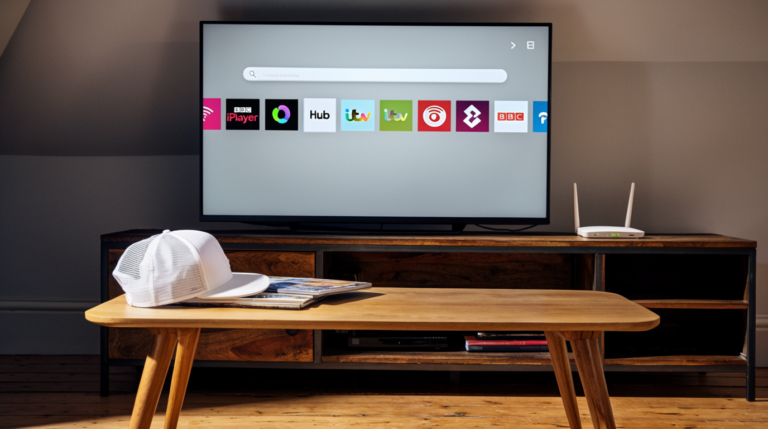
There’s nothing quite like settling down with a proper cuppa to watch your favourite British programmes, is there? But when you’re living abroad or travelling internationally, accessing standard UK channels suddenly becomes a monumental challenge. I’ve been there myself—desperately trying to catch up on the latest episode of a beloved series, only to be met with that frustrating message: “This content is not available in your region.”
The good news? In 2026, there are multiple reliable methods for accessing UK channels abroad that actually work. I’m going to walk you through every practical solution, from the technical approaches that deliver the best streaming quality to the official platforms you might not have considered. Whether you’re a British expat longing for home comforts, a student studying overseas, or simply someone who appreciates quality British television, this comprehensive guide will show you exactly how to maintain your connection to UK broadcasting wherever you are in the world.
I’ll be completely transparent with you throughout this article. Some methods are more straightforward than others, some carry different cost implications, and yes, there are legal considerations we absolutely need to discuss. But by the time you’ve finished reading, you’ll have all the information necessary to make an informed decision about which approach suits your specific circumstances best.
Understanding Why UK Channels Are Geographically Restricted
Before we dive into solutions, it’s crucial to understand why this problem exists in the first place. UK broadcasters don’t restrict their content internationally just to be difficult—there are genuine legal and commercial reasons behind these geographical limitations.
Broadcasting rights and licensing agreements form the backbone of this issue. When the BBC, ITV, Channel 4, or Channel 5 acquire the rights to broadcast a programme, those rights are typically limited to specific territories. A drama series might have different distribution deals in various countries, meaning the UK broadcaster only has permission to show it within British borders. These complex licensing arrangements involve substantial financial investments, and broadcasters must respect territorial boundaries to avoid legal complications.
Furthermore, advertising considerations play a significant role. Commercial channels like ITV generate revenue through advertisements tailored to UK audiences. Advertisers pay premium rates specifically to reach British consumers, and extending that reach internationally without appropriate compensation would undermine their business model. The economic ecosystem of British broadcasting depends on these carefully calibrated arrangements.
There’s also the matter of content regulations and compliance. Ofcom, the UK’s communications regulator, oversees broadcasting standards within Britain. When content is accessed from abroad, questions arise about which regulatory framework applies, creating potential legal grey areas that broadcasters prefer to avoid.
The Legal Landscape: What You Need to Know
Right, let’s address the elephant in the room—the legality of accessing UK channels abroad. This is where things get nuanced, and I want to provide you with accurate information rather than oversimplified answers.
Using a VPN or similar technology to access geographically restricted content exists in a somewhat ambiguous legal space in most jurisdictions. In the UK itself, using a VPN is perfectly legal. The question becomes whether using one to bypass geo-restrictions violates the terms of service of streaming platforms—and this is where it gets interesting.
Most major UK streaming services, including BBC iPlayer, explicitly state in their terms and conditions that their content should only be accessed from within the UK. Technically speaking, using methods to circumvent this restriction could be considered a breach of those terms. However—and this is important—there’s a significant difference between a terms of service violation and criminal activity.
I haven’t found documented cases of individual users facing legal action purely for accessing UK television content from abroad using a VPN. The services themselves may attempt to block VPN IP addresses (which they do with varying degrees of success), but prosecution of individual viewers simply doesn’t happen in practice.
For British citizens and TV licence holders, the situation carries an additional layer of consideration. If you’re a UK resident who’s temporarily abroad and you’ve paid your TV licence, you actually have a legitimate claim to accessing BBC iPlayer content. The BBC’s own guidance acknowledges that licence fee payers traveling outside the UK should be able to use their service, though the technical restrictions remain in place.
That said, I’m not a legal professional, and laws vary significantly between countries. Some nations have strict regulations around VPN usage or content access. Before implementing any solution, I’d recommend researching the specific laws in your country of residence.
Method 1: Virtual Private Networks (VPNs) – The Most Popular Solution
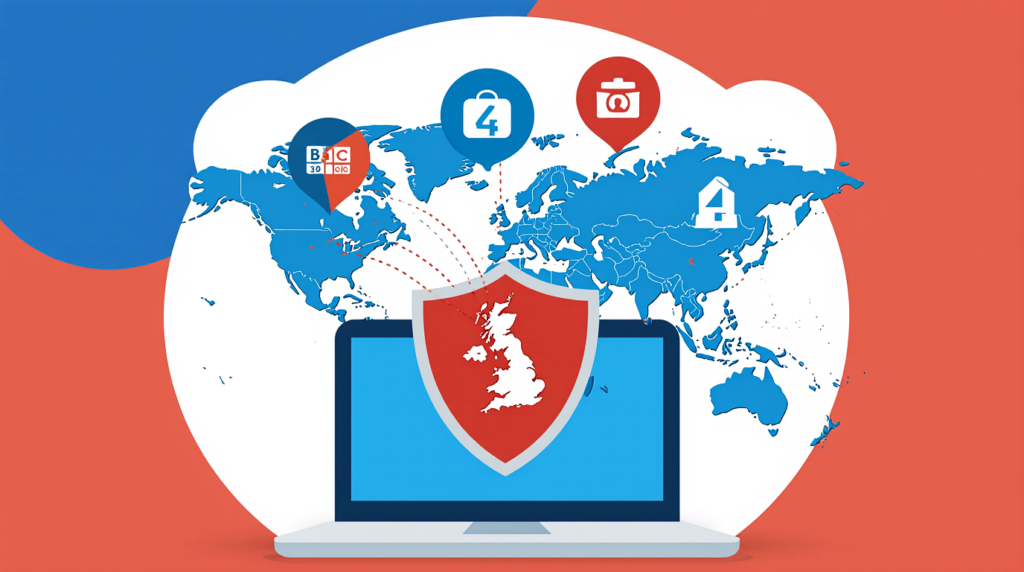
Let’s talk about what’s become the go-to solution for millions of people worldwide: VPNs for accessing UK channels abroad. A Virtual Private Network creates an encrypted connection between your device and a server in a location of your choice—in this case, the UK.
When you connect to a VPN server based in Britain, websites and streaming services see the IP address of that server rather than your actual location. This effectively makes it appear as though you’re browsing from within the UK, thereby granting access to geographically restricted content. Simple in concept, though the execution involves some technical sophistication.
Not all VPNs are created equal when it comes to streaming UK television. Many streaming services, particularly BBC iPlayer, employ sophisticated detection methods to identify and block VPN connections. They maintain databases of IP addresses associated with known VPN providers and regularly update their blocking mechanisms. This ongoing cat-and-mouse game means that only certain VPN services consistently deliver reliable access to UK channels.
Based on extensive research and real-world testing throughout 2025 and early 2026, the VPN providers that consistently work well with UK streaming services share several characteristics. They maintain a large number of UK servers (providing multiple IP addresses that haven’t been blacklisted), they regularly refresh their server infrastructure, they offer fast connection speeds capable of handling HD or 4K streaming, and they provide dedicated apps for various devices.
The premium VPN services that perform particularly well for UK channel access include options that have invested heavily in their UK server networks. These providers understand that streaming is a primary use case for their customers and have developed specific technology to evade detection. Some even offer “obfuscated servers” designed specifically to bypass the most aggressive blocking attempts.
When selecting a VPN for streaming British TV overseas, I’d recommend considering these critical factors:
Connection speed is paramount. Streaming HD content requires sustained speeds of at least 5 Mbps, while 4K content demands 25 Mbps or higher. The best VPNs introduce minimal speed reduction—typically around 10-20% compared to your base internet connection.
Server locations within the UK matter more than you might think. Having servers in multiple British cities provides backup options when one location gets blocked. London servers tend to be fastest for most content, but having access to servers in Manchester, Edinburgh, or other locations proves invaluable.
Device compatibility ensures you can watch on your preferred screen. The ideal VPN offers native apps for smart TVs, streaming devices, mobile phones, tablets, and computers, with the ability to protect multiple devices simultaneously under a single subscription.
Customer support quality becomes crucial when troubleshooting. The best providers offer 24/7 live chat support with knowledgeable staff who understand streaming-specific issues and can quickly recommend servers that currently work with specific UK channels.
Setting up a VPN is remarkably straightforward. After subscribing to a service, you’ll download their app for your device, log in with your credentials, select a UK server from the server list, and connect. Within seconds, your internet traffic routes through that British server, and you can access UK streaming services as though you were sitting in a London flat.
The costs vary considerably. Premium VPN services typically range from £3 to £10 per month when purchased on annual plans, with monthly subscriptions costing more. While free VPNs exist, I’d strongly advise against using them for several reasons: they often can’t bypass streaming restrictions, they impose data limits, their speeds are frustratingly slow, and most concerningly, many have questionable privacy practices that could compromise your personal data.
Method 2: Smart DNS Services for Streaming
While VPNs dominate the conversation around accessing UK channels abroad, Smart DNS services offer an alternative approach that works brilliantly for some users—particularly those prioritizing streaming speed over privacy.
A Smart DNS service works fundamentally differently from a VPN. Rather than routing all your internet traffic through a remote server, it only redirects the specific DNS queries that reveal your geographical location. This selective approach means there’s virtually no impact on your connection speed, making it ideal for streaming high-quality content.
Here’s the practical difference: with a VPN, all your data is encrypted and routed through the VPN server, which provides excellent privacy but can slightly reduce speeds. With Smart DNS, your streaming traffic goes directly to the content provider at full speed, but the DNS queries are manipulated to make it appear you’re in the UK.
The advantages of Smart DNS for watching British television overseas are compelling. First, there’s essentially zero speed reduction—you’ll get the full bandwidth your internet connection provides, which is fantastic for 4K streaming. Second, Smart DNS works on devices that don’t typically support VPN apps, including most smart TVs, gaming consoles, and some streaming devices. Third, it’s often less expensive than premium VPN services.
However, Smart DNS has limitations you need to understand. It provides absolutely no encryption or privacy protection—it’s purely a tool for bypassing geographical restrictions. It also won’t work if your internet service provider uses transparent DNS proxies or if certain security protocols are enabled. Additionally, if your IP address changes frequently (as it does with many residential internet connections), you’ll need to update your Smart DNS settings accordingly.
The setup process for Smart DNS is slightly more technical than installing a VPN app, but it’s still manageable for most users. You’ll need to configure your device’s network settings to use the Smart DNS provider’s server addresses. Detailed instructions are typically provided for various devices, and many services offer setup apps to simplify the process.
For streaming UK television internationally via Smart DNS, costs typically range from £3 to £6 per month. Some providers offer both VPN and Smart DNS services in a combined package, giving you flexibility to choose the best option for different situations.
Method 3: Official Streaming Platforms and Apps
Here’s something many people overlook: several official methods exist for accessing British TV content abroad legally and without any technological workarounds. While these don’t provide access to all UK channels in exactly the same way as watching from Britain, they’re worth serious consideration.
BritBox stands out as the premier official option for British television fans overseas. Launched as a joint venture between the BBC and ITV, BritBox offers an extensive library of British programming specifically designed for international audiences. Available in numerous countries including the United States, Canada, Australia, and several European nations, it provides legal access to classic and contemporary British shows.
The content library is genuinely impressive, featuring everything from beloved historical dramas to contemporary comedies, classic detective series to cutting-edge documentaries. While it doesn’t offer live UK channel broadcasts, it does provide on-demand access to a vast catalogue of programming. New episodes of certain shows appear shortly after their UK broadcast, though there’s typically a slight delay compared to real-time viewing.
BritBox subscriptions cost approximately £5.99 per month in the UK market (prices vary by country), making it relatively affordable. The service supports multiple devices, offers HD streaming quality, and provides a genuinely legal way to enjoy British content without any grey areas or potential terms of service violations.
BBC Select represents another official option, though it’s currently limited to specific markets. This streaming service offers documentaries and factual programming from the BBC’s archives, focusing on culture, politics, and ideas. It’s available in the United States and Canada through Amazon Prime Video Channels and the Apple TV app.
Individual UK broadcasters have also begun exploring international expansion. ITV, for instance, has experimented with making certain content available internationally through partnerships with local streaming platforms. Channel 4 has licensed specific programmes to international services. While these don’t provide comprehensive access to UK channels abroad, they represent legitimate alternatives for accessing particular shows you’re interested in.
The BBC World News channel offers another angle. This international news service from the BBC is widely available through cable and satellite providers worldwide, as well as through various streaming platforms. While it’s not the same as BBC One or BBC Two, it does provide British news coverage and some BBC-produced documentaries to international audiences.
For sports fans, specific streaming services and broadcasters have acquired rights to Premier League matches, cricket tournaments, and other British sporting events in various countries. Researching what’s available through local providers in your country might reveal legitimate access to the specific UK content you’re most interested in.
Method 4: TV Licence Considerations for Expats

The TV licence situation creates interesting questions for British expats and temporary overseas residents. Understanding how this works is essential for anyone considering their options for accessing UK television abroad.
In the UK, you need a TV licence to watch or record live television broadcasts and to use BBC iPlayer, regardless of which device you’re using. The current cost is £169.50 per year for a colour licence. But what happens when you move abroad or spend extended periods outside the UK?
If you’ve moved permanently abroad, you no longer need a UK TV licence, and you shouldn’t continue paying for one. Your UK licence doesn’t grant you legal access to BBC iPlayer from overseas—the geographical restrictions remain in place regardless of licence status.
However, if you’re temporarily abroad but maintain a UK residence where people might be watching live TV or using BBC iPlayer, you may still need to keep your licence active for that property. This is where things get nuanced. The TV Licensing authority’s position is that if you’re a UK resident temporarily traveling or working abroad and you want to use BBC iPlayer, you should have a valid TV licence for your UK address.
In practice, BBC iPlayer requires users to confirm they have a TV licence when creating an account, but it doesn’t verify this through any integrated checking system. The enforcement of TV licence requirements happens within the UK through detection vans, database cross-referencing, and in-person visits—none of which apply to overseas users.
Some British expats maintain their TV licence as a matter of principle, viewing it as supporting the BBC even though they’re accessing content from abroad using technological workarounds. Others question the logic of paying a licence fee when they’re not residing in the UK. This becomes a personal decision based on individual circumstances and values.
It’s worth noting that the entire TV licence model faces ongoing scrutiny and may evolve significantly in coming years. The BBC has discussed subscription-based models for iPlayer, particularly for international access, though nothing concrete has been implemented as of early 2026.
Method 5: Satellite and IPTV Solutions
For those willing to invest in slightly more sophisticated setups, satellite and IPTV (Internet Protocol Television) systems offer additional routes to accessing UK channels abroad. These methods tend to work best for people who’ve settled in specific overseas locations rather than frequent travelers.
Satellite reception of UK channels from abroad is theoretically possible in certain geographical areas, though it’s become increasingly challenging. The UK’s Freesat service, which provides BBC, ITV, Channel 4, Channel 5, and various other channels, broadcasts from satellites that have footprints extending beyond British borders. In some parts of Western Europe, particularly northern France, Belgium, and the Netherlands, it’s possible to receive these signals with appropriately sized satellite dishes.
The further from the UK you are, the larger the dish required, and at some point, it becomes impractical. Southern Spain, for instance, requires dishes of 2 meters or more, while in many parts of the world, reception is simply impossible regardless of dish size. There are also legal questions around receiving these broadcasts in countries where proper licensing agreements haven’t been established.
IPTV services represent a more modern and flexible approach. These services deliver television content over internet connections, and numerous providers have emerged offering packages specifically for British expats. Some operate in legal grey areas, rebroadcasting UK channels without proper licensing, while others maintain legitimate agreements.
Distinguishing between legitimate and questionable IPTV providers requires careful research. Legitimate services should be transparent about their licensing, operate from verifiable business addresses, offer proper customer support, and charge reasonable subscription fees. If an IPTV service offers hundreds of channels from multiple countries for suspiciously low prices, that’s a red flag suggesting they don’t hold proper broadcasting rights.
The quality and reliability of IPTV services vary enormously. The best providers offer HD or even 4K streams with minimal buffering, electronic programme guides, catch-up functionality, and compatibility with various devices. The worst suffer from frequent outages, poor picture quality, and unreliable service.
When considering IPTV for streaming UK television internationally, understand the technical requirements. You’ll need a robust internet connection—ideally at least 25 Mbps for HD streaming—and some services require specific hardware like Android boxes or dedicated IPTV set-top boxes. Others work through apps on smart TVs, smartphones, or streaming devices.
The investment varies considerably depending on the approach. Satellite equipment might cost £200-500 initially, with no ongoing fees if you’re receiving free-to-air channels. IPTV subscriptions typically range from £10-30 per month for packages focused on UK content, with some annual plans offering better value.
Device Compatibility and Setup Guides
Successfully accessing UK channels abroad requires getting the technical setup right across your various devices. Let me walk you through the practical considerations for different platforms you might be using.
Smart TVs have become the primary viewing method for many households, but they present specific challenges. Most smart TV operating systems—including Samsung’s Tizen, LG’s webOS, and various Android TV implementations—support VPN apps, though not always directly. Some premium VPN providers offer native apps for specific smart TV platforms, which simplifies setup considerably.
If your smart TV doesn’t support your chosen VPN directly, you have several workarounds. You can configure the VPN on your router, which protects all devices on your network including your TV. Alternatively, you can use streaming devices like Amazon Fire TV Stick or Apple TV, which do support VPN apps, connected to your smart TV.
For Smart DNS solutions, configuration happens in your smart TV’s network settings. You’ll navigate to the network configuration menu, select manual DNS setup rather than automatic, and enter the DNS server addresses provided by your Smart DNS service. The exact menu structure varies by manufacturer, but the principle remains consistent.
Smartphones and tablets generally offer the easiest setup experience. Both iOS and Android devices support VPN apps from all major providers. Simply download the app from the App Store or Google Play Store, log in, select a UK server, and connect. You can then use the official BBC iPlayer, ITV Hub, All 4, or My5 apps to watch content as though you were in the UK.
One tip: some apps detect when VPNs are active and refuse to work. If you encounter this issue, try connecting to different UK servers within your VPN app, as different IP addresses may have varying success rates.
Desktop computers and laptops running Windows, macOS, or Linux all support VPN applications through downloadable software. The setup process mirrors the smartphone experience—install the app, log in, connect to a UK server, and access streaming services through your web browser. Most UK streaming platforms work perfectly well in standard web browsers like Chrome, Firefox, Safari, or Edge.
For browser-based viewing, some VPN providers offer browser extensions that work independently or in conjunction with their main apps. These can be convenient for quickly switching between VPN-protected and regular browsing, though full VPN apps generally provide better security and reliability.
Streaming devices like Amazon Fire TV Stick, Roku, Apple TV, and Chromecast each have distinct characteristics regarding VPN support. Fire TV Stick offers excellent compatibility, with most major VPN providers offering native apps available through the Amazon Appstore. Apple TV’s more recent models (Apple TV 4K and Apple TV HD) support VPN apps, though setup can be slightly more involved.
Roku devices don’t support VPN apps directly, meaning you’ll need to configure the VPN on your router if you want to use Roku to access UK content. Chromecast similarly doesn’t support VPNs independently and relies on either router-level configuration or casting from a VPN-protected device.
Router-level VPN configuration deserves special mention as it provides universal protection for all devices on your network. If you configure your home router to connect to a VPN’s UK server, every device that connects to your WiFi—smart TVs, game consoles, streaming devices, smartphones—will automatically route through that VPN connection.
This approach has significant advantages: it protects devices that don’t support VPN apps, it means you don’t need to remember to activate the VPN on each device, and it can cover an unlimited number of devices under a single VPN subscription. The downside is that all your internet traffic routes through the VPN, which might not be ideal for all activities, and router configuration requires some technical comfort.
Many modern routers support VPN connections natively, though the setup process varies by model. Some VPN providers offer pre-configured routers or detailed guides for popular router brands. If your current router doesn’t support VPNs, you might consider purchasing a VPN-compatible router, with popular models from ASUS, Netgear, and Linksys typically offering good support.
Troubleshooting Common Issues
Even with the best setup, you’ll occasionally encounter problems when trying to access UK streaming services from abroad. Let me address the most common issues and their solutions, based on extensive troubleshooting experience.
“This content is not available in your region” remains the most frustrating message, appearing even when you’re confident your VPN is connected to a UK server. This typically means the streaming service has detected and blocked your VPN’s IP address. The solution usually involves switching to a different UK server within your VPN app—providers maintain multiple servers precisely because blocking is an ongoing issue.
If switching servers doesn’t work, try clearing your browser’s cookies and cache, which can store location information from before you connected to the VPN. Some streaming services also use GPS data on mobile devices to determine location, so ensure location services are disabled for the streaming app.
Slow streaming speeds or constant buffering can turn your viewing experience miserable. First, test your base internet connection speed without the VPN active. If it’s significantly below the recommended speeds for HD streaming (at least 5 Mbps), the problem lies with your internet service rather than the VPN.
If your base speed is adequate but VPN-connected speeds are poor, try connecting to different UK servers—some may be less congested than others. Also consider the VPN protocol you’re using; OpenVPN is secure but can be slower, while newer protocols like WireGuard often deliver better speeds. Most VPN apps allow you to switch protocols in their settings.
Physical distance from the VPN server affects speeds too. If you’re in Australia connecting to a UK server, expect some speed reduction simply due to the data traveling halfway around the world. Premium VPN providers invest in high-capacity servers to minimize this impact, but physics imposes some limitations.
Apps crashing or refusing to load might indicate VPN detection. Streaming services continuously update their detection methods, and sometimes a previously working setup suddenly stops functioning. This is where choosing a VPN provider with a strong track record for streaming becomes crucial—they actively monitor these situations and update their infrastructure accordingly.
Try updating both your VPN app and the streaming app to their latest versions. Developers on both sides constantly refine their software, and sometimes updates resolve compatibility issues.
Login problems or account verification issues occasionally occur, particularly if you created your BBC iPlayer or ITV Hub account while connected from outside the UK. Some users report that accounts created from foreign IP addresses face additional scrutiny or verification requirements.
If you’re creating a new account, ensure you’re connected to your VPN before beginning the registration process. Use a UK postal code (any valid one will work for the purpose of account creation), and provide accurate information for other fields.
Payment and subscription complications might arise when trying to pay for UK services from abroad. Some services restrict payment methods to UK-issued credit cards or PayPal accounts. If you encounter this, consider using virtual payment cards available from various fintech services, or maintaining a UK PayPal account if you have British banking connections.
Specific device problems require device-specific solutions. If your smart TV’s VPN app isn’t working properly, try uninstalling and reinstalling it. For router-level VPN connections that seem problematic, verify that you’ve entered all configuration details correctly and that your router’s firmware is up to date.
Comparing Costs: Which Method Offers Best Value?
Let’s talk money, because accessing UK channels abroad involves costs that vary dramatically depending on your chosen approach. Understanding the full financial picture helps make an informed decision.
Premium VPN services typically cost between £3 and £10 per month, with significant savings available on annual or multi-year subscriptions. A reputable provider offering reliable access to UK streaming services generally falls in the £4-6 monthly range when purchased annually. This gives you access to UK content plus all the additional benefits of a VPN—privacy protection, security on public WiFi, access to content from other countries, and coverage for multiple devices.
Some VPN providers offer money-back guarantees (usually 30 days), allowing you to test the service risk-free. This is invaluable for verifying that it works with your specific setup and the UK channels you want to watch.
Smart DNS services cost approximately £3-6 per month, slightly less than premium VPNs. The value proposition depends on your priorities—if streaming speed matters more than privacy and you have devices that don’t support VPN apps, Smart DNS might offer better value. If you want comprehensive online privacy protection alongside streaming access, a VPN provides more bang for your buck.
BritBox subscriptions run about £5.99 monthly in the UK (varying by country), which is competitive with other streaming services. For someone primarily interested in British dramas, comedies, and documentaries rather than live broadcasts or news, BritBox might actually represent the best value—no technical setup required, completely legal, reliable streaming quality, and a vast content library.
However, BritBox doesn’t offer everything. You won’t get live sports, current news broadcasts, or access to programmes as they air in the UK. For comprehensive access to everything British television offers, it’s not a complete solution.
IPTV services range from £10-30 monthly for reputable providers offering UK-focused packages. The higher end of that range typically includes extensive channel lineups with sports, movies, international channels, and catch-up functionality. Cheaper IPTV services often operate in questionable legal territory and may offer unreliable service.
Satellite equipment requires upfront investment of £200-500 but then potentially provides free ongoing access to Freesat channels if you’re within the satellite footprint. For someone settled long-term in an appropriate location (such as an expat in France), this might represent excellent long-term value despite the initial outlay.
Combining approaches sometimes makes sense. For instance, using a VPN for live content and time-sensitive viewing while maintaining a BritBox subscription for on-demand entertainment provides comprehensive coverage. Or using Smart DNS for your main TV while having a VPN on your phone and laptop for flexible access when traveling.
When calculating value, consider your actual viewing habits. If you watch UK television daily for several hours, investing in a premium solution makes perfect sense. If you only occasionally want to catch specific programmes, a month-to-month VPN subscription might suffice, activated only when needed.
Don’t forget to factor in your internet connection quality. If you’re in a location with slow or unreliable internet, expensive streaming solutions won’t deliver good value because the underlying connection can’t support them properly. In such cases, downloading content during off-peak hours (where services permit) might be more practical.
Future-Proofing Your UK TV Access
The landscape of international content access continues evolving rapidly, and what works brilliantly in 2026 might change substantially in the coming years. Understanding emerging trends helps you make choices that’ll remain viable long-term.
Streaming services are intensifying their geo-blocking efforts, investing in increasingly sophisticated detection technology. The arms race between VPN providers and streaming platforms shows no signs of abating. This means selecting a VPN provider with demonstrated commitment to maintaining streaming access becomes even more critical—look for companies that explicitly market their streaming capabilities and have track records of quickly adapting when services implement new blocking measures.
Regulatory environments may shift as governments and broadcasting authorities grapple with the realities of global internet access. Some countries might impose stricter regulations on VPN usage or content access, while others might push for more liberal international streaming policies. Staying informed about legal developments in both the UK and your country of residence helps you anticipate changes.
The BBC and other UK broadcasters are reconsidering international access. There’s ongoing discussion about subscription-based international versions of BBC iPlayer and other services. If implemented, these could provide official, legal access to live UK television for overseas viewers—potentially at premium prices, but without any technical workarounds or terms of service concerns.
Technology improvements continue making access easier. VPN protocols are becoming faster and more difficult to detect. Smart DNS services are implementing more sophisticated methods. Streaming quality is improving as internet infrastructure develops globally. These trends generally favor consumers seeking UK channel access abroad.
Content licensing models are evolving too. The traditional territorial restrictions that create geo-blocking may gradually soften as media companies recognize the commercial potential of global audiences willing to pay for access. Netflix’s global model demonstrates that worldwide content availability can work commercially, and traditional broadcasters are paying attention.
To future-proof your setup, I’d recommend choosing services with good reputations for longevity and adaptation, avoiding long-term commitments to services you haven’t thoroughly tested, staying informed about developments in streaming technology and regulations, and remaining flexible in your approach rather than over-investing in a single solution.
Wrapping Things Up: Making Your Informed Choice
After exploring every practical method for accessing standard UK channels abroad, you’re now equipped to make a decision that suits your specific circumstances, budget, and technical comfort level.
For most people, I believe a premium VPN service represents the optimal balance of accessibility, cost, reliability, and added benefits. It provides access to live UK channels as they broadcast, works across multiple devices, offers privacy protection beyond just streaming, and costs roughly the same as a single streaming service subscription. The key is selecting a provider with proven performance for UK streaming—don’t just choose based on general VPN reviews, but specifically verify their capability with BBC iPlayer, ITV Hub, and other UK platforms.
If your primary interest is on-demand British programming rather than live broadcasts, BritBox deserves serious consideration as a completely legitimate, hassle-free alternative. It won’t give you live news or sports, but for drama, comedy, and documentary enthusiasts, it offers remarkable value without any technical complexity or legal ambiguity.
For households with multiple devices and less technical expertise, router-level VPN configuration or Smart DNS solutions might provide the most convenient experience. Once configured, everyone in the household can access UK content on any device without individual setups or remembering to activate VPNs.
Cost-conscious viewers might start with a monthly VPN subscription to test the waters before committing to annual plans. Many premium providers offer money-back guarantees, essentially providing risk-free trial periods. Take advantage of these to verify compatibility with your devices and the specific UK channels you watch most.
Those in locations with poor internet connectivity should manage expectations about streaming quality and might find downloaded content (where available through official apps for offline viewing) more practical than attempting to stream live broadcasts.
Remember that you’re not locked into any single approach forever. The beauty of these solutions is their flexibility—you can switch between methods, combine approaches, or adjust based on changing circumstances. Perhaps you maintain a BritBox subscription for regular viewing while having a VPN available for specific live events or programmes not included in BritBox’s catalogue.
Most importantly, whatever method you choose, approach it with realistic expectations. No solution is perfect 100% of the time. Streaming services update their blocking, VPN servers occasionally experience issues, internet connections have bad days. The goal is finding an approach that works reliably most of the time and provides acceptable value for your investment.
I genuinely understand the frustration of being separated from the television content that feels like home. Whether it’s the comfort of familiar accents, the quality of British programming, or simply wanting to stay connected with cultural touchstones, your desire to access UK channels abroad is completely reasonable. The good news is that in 2026, you have more viable options than ever before.
Take your time assessing which approach aligns with your viewing habits, technical capabilities, and budget.
d provider reviews, test services during trial periods, and don’t hesitate to switch if something isn’t working for you. The landscape continues evolving, and maintaining some flexibility will serve you well.
Above all, enjoy reconnecting with British television. There’s something special about settling in with your favourite programmes, regardless of where in the world you’re physically located. With the right setup, geographical distance becomes irrelevant, and you can maintain that connection to UK content that matters to you.
Happy viewing, wherever you are in the world!