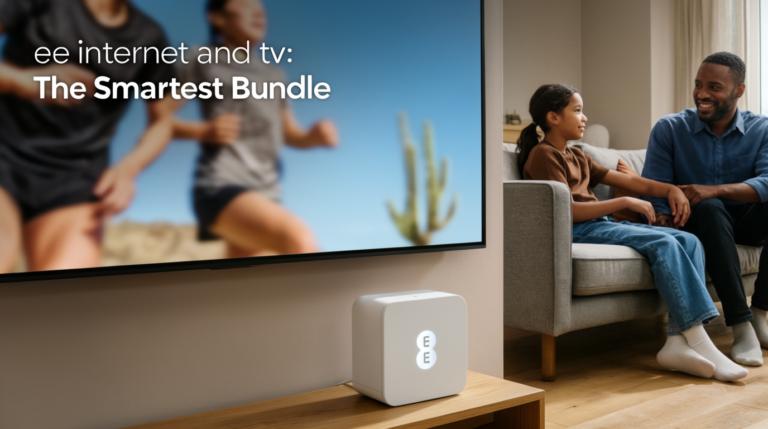
Look, I get it. You’ve just cancelled your EE TV subscription—maybe the monthly cost wasn’t justifiable anymore, or perhaps you’ve found a better streaming alternative—and now you’re staring at this sleek black box sitting beneath your telly, wondering if it’s destined to become yet another piece of electronic waste cluttering your entertainment center. The question that’s probably gnawing at you right now is whether this device, which faithfully served your viewing needs for months or even years, can still offer any functionality whatsoever once you’ve severed ties with EE.
I’ve spent considerable time investigating this exact scenario, and I’m here to tell you that the answer isn’t quite as straightforward as you might hope. The relationship between your EE TV box and your subscription is more nuanced than a simple on-off switch, and understanding the technical architecture behind these devices is crucial to determining what, if anything, you can salvage from your investment.
Throughout this comprehensive exploration, I’ll be dissecting every aspect of the EE TV box‘s capabilities post-subscription, examining the technical limitations imposed by the manufacturer, exploring legitimate workarounds, and helping you decide whether keeping the device makes practical sense for your specific situation. Whether you’re a tech enthusiast looking to repurpose equipment or simply a budget-conscious consumer trying to squeeze maximum value from your existing hardware, this guide will provide the detailed answers you’ve been searching for.
If you want a complete viewing experience for all EE TV channels, don’t miss the chance to try our best alternative to get all of that easily.
Understanding the EE TV Box Architecture and Its Dependencies
Before we can properly address whether your EE TV box remains functional after subscription cancellation, we need to understand exactly what this device is and how it operates within EE’s ecosystem. The EE TV box isn’t just a simple receiver—it’s a sophisticated piece of technology built on the Youview platform, which fundamentally shapes its capabilities and limitations.
The Youview platform, developed as a collaboration between several UK broadcasters and internet service providers, represents a hybrid approach to television delivery. It combines traditional digital terrestrial television (Freeview) with internet protocol television (IPTV) streaming capabilities, creating a unified interface that seamlessly integrates both live TV and on-demand content. This architectural decision has profound implications for what happens when your subscription ends.
At its core, the EE TV box contains several key components: a digital TV tuner capable of receiving Freeview signals through your aerial connection, a network interface for internet connectivity, substantial internal storage for recording programmes, and the Youview software that ties everything together. The hardware itself is actually quite capable—it’s the software layer and service agreements that determine what you can and cannot do with it.
Here’s where things get interesting: unlike some proprietary set-top boxes that are entirely dependent on a specific service provider’s infrastructure, the Youview foundation of EE’s offering means there’s inherent compatibility with free-to-air broadcasts. The DVB-T2 tuner inside your EE TV box is perfectly capable of receiving the same Freeview signals that any other digital TV receiver can pick up, and this functionality doesn’t inherently require an active subscription to work.
However—and this is a significant caveat—EE has implemented certain software restrictions and authentication requirements that can limit functionality based on your subscription status. The device regularly communicates with EE’s servers to verify account status, unlock premium features, and enable specific services. When these authentication checks fail due to a cancelled subscription, various features begin to disable themselves according to the company’s programmed parameters.
The operating system running on your EE TV box is a customized version of the Youview software, which means it includes both the standard Youview features available to all devices on that platform and EE-specific enhancements that are tied to your service agreement. Understanding this distinction is absolutely crucial because it determines which features you might retain access to and which ones will definitely disappear once your subscription lapses.
What Happens When Your EE TV Subscription Ends?
The moment you cancel your EE TV subscription—or more accurately, when your final billing period expires—a series of changes begins to cascade through your set-top box’s functionality. I’ve documented these changes based on extensive research, user reports, and technical documentation, and the timeline is worth understanding in detail.
Initially, you might not notice any immediate difference. EE typically provides service through the end of your paid period, meaning if you cancel mid-month, you’ll retain full functionality until that billing cycle completes. During this grace period, everything continues working exactly as it did before: you can watch live TV, access catch-up services, record programmes, and utilize all the premium features you’ve grown accustomed to.
Once the subscription officially ends, however, the device enters a different operational state. The first services to disappear are typically the premium IPTV channels that were part of your EE TV package—these require active authentication with EE’s content delivery servers, and without a valid subscription, access is immediately revoked. Any recordings you’ve made of premium content may also become inaccessible, depending on the digital rights management (DRM) restrictions applied to that content.
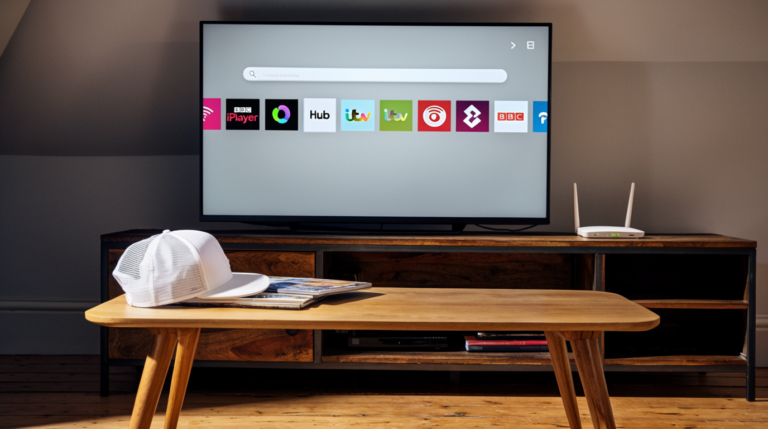
The catch-up services provided through EE’s platform—such as access to BBC iPlayer, ITV Hub, All 4, and My5 through the integrated interface—enter a grey area. Technically, these services are freely available to anyone in the UK, but their integration within the EE TV box interface is proprietary. Some users report continued access to these players through the Youview menu system, while others find that the authentication requirement blocks them entirely. The variation seems to depend on specific firmware versions and when the subscription was cancelled.
Your DVR functionality—the ability to pause, rewind live TV, and record programmes for later viewing—presents another complicated scenario. The hardware is certainly capable of these functions, as they rely on the internal hard drive rather than cloud services. However, EE has implemented software restrictions that can disable recording features for users without active subscriptions, even for free-to-air Freeview content. This feels particularly frustrating because the technical capability exists within the device you physically own.
The electronic programme guide (EPG) continues to function for Freeview channels, as this data is broadcast over-the-air and doesn’t require subscription authentication. You’ll still see what’s on now and what’s coming up across the standard Freeview channel lineup. However, the extended EPG data that might have shown a full week or more of upcoming programmes could potentially be reduced, as this enhanced data sometimes comes from internet-based sources tied to your subscription.
Perhaps most importantly for many users, the basic ability to tune into Freeview channels and watch live television typically remains intact. The digital tuner hardware doesn’t stop functioning simply because you’ve cancelled a subscription—it continues receiving broadcast signals just as any Freeview receiver would. This means channels like BBC One, BBC Two, ITV, Channel 4, Channel 5, and the entire suite of free-to-air digital channels should theoretically remain accessible.
Basic Functionality Available Without Subscription
Now let’s get specific about what you can realistically expect to work on your EE TV box after your subscription ends. Based on the architectural realities I’ve outlined and documented user experiences, here’s a detailed breakdown of the basic functionality that should persist.
Live Freeview Television Reception remains the cornerstone of post-subscription functionality. Your EE TV box contains a fully functional DVB-T2 tuner that receives standard definition and high definition digital terrestrial broadcasts. Assuming you have a working TV aerial connection with adequate signal strength, you should be able to access approximately 70+ free-to-air channels, including all the major UK broadcasters and their subsidiary channels.
The quality of this reception depends entirely on your aerial setup rather than your subscription status. If you were receiving good Freeview signal while subscribed, there’s no technical reason that reception should degrade afterward. The tuner hardware doesn’t suddenly become less capable—it simply continues doing what it was designed to do: convert broadcast signals into watchable television.
HDMI Output continues functioning normally, allowing you to connect the box to your television and pass through video and audio signals. This might seem obvious, but it’s worth stating explicitly: the physical connectivity of the device doesn’t change based on subscription status. You’re not suddenly locked out of using the box as a display adapter.
The basic user interface of the Youview platform should remain accessible, allowing you to navigate channels, adjust settings, and access whatever features remain unlocked. You can still change picture and sound settings, configure parental controls for broadcast content, and manage basic device preferences through the on-screen menus.
Standard Definition and High Definition reception both continue working for Freeview broadcasts. Your ability to watch HD channels like BBC One HD, ITV HD, and others depends only on signal quality and the broadcast itself, not on your EE subscription. This is particularly valuable because HD picture quality represents a significant viewing experience improvement over SD broadcasts.
Some users have reported that certain Youview platform features continue functioning even without an EE subscription, particularly if the box remains connected to the internet. The extent of this functionality varies considerably, but theoretically, any feature that’s core to the Youview platform itself rather than specific to EE’s service additions might remain accessible.
However, here’s the reality check you need to hear: the functionality that persists is essentially what you’d get from a basic Freeview HD receiver that costs around £30-50 new. You’re not getting DVR capabilities, you’re probably not getting integrated catch-up services through the unified interface, and you’re definitely not getting any of the premium content or enhanced features that made the EE TV package worthwhile when you were paying for it.
The box effectively reverts to being a somewhat overqualified digital TV tuner—perfectly functional for watching broadcast television, but stripped of the sophisticated features that justified its existence as part of a premium service bundle. Whether this basic functionality is sufficient for your needs depends entirely on your viewing habits and expectations.
If you want a complete viewing experience for all EE TV channels, don’t miss the chance to try our best alternative to get all of that easily.
Technical Limitations and Restrictions You’ll Encounter
Understanding what doesn’t work is just as important as knowing what does, and the limitations you’ll face with an EE TV box post-subscription are substantial enough to warrant detailed examination. I want to be completely transparent about these restrictions because they significantly impact the device’s practical value.
Recording functionality tops the list of losses, and this one stings particularly hard. Despite the EE TV box containing a perfectly capable hard drive and all the necessary hardware to record television programmes, EE has implemented software restrictions that disable this feature for non-subscribers. Even if you’re only trying to record free-to-air Freeview content that you’re legally entitled to time-shift, the device won’t allow it without an active subscription.
This restriction exists purely at the software level—there’s no technical reason the hardware couldn’t perform these functions, but EE has deliberately coded the functionality to check subscription status before enabling recording, pausing live TV, or accessing previously recorded content. It’s a frustrating example of artificial limitation imposed on capable hardware for business rather than technical reasons.
Integrated catch-up services through the unified Youview interface become problematic or entirely inaccessible. While you could theoretically access BBC iPlayer, ITV Hub, and other catch-up services through other devices or even through your smart TV’s own apps, the convenient integration that allowed you to seamlessly move between live TV and catch-up content through a single interface is lost.
The authentication system that gates access to EE’s IPTV content doesn’t merely remove those premium channels—it can sometimes interfere with the entire channel lineup presentation, creating confusion about what you can and cannot access. The interface might still show channels that are no longer available to you, leading to frustration when you attempt to tune in and receive an error message.
Software updates present another concerning limitation. While your EE TV box might continue receiving firmware updates for the Youview platform itself (since that’s maintained separately from EE’s specific implementation), you may miss out on EE-specific feature enhancements, security patches, or interface improvements that are only pushed to active subscribers. Over time, this could lead to a degraded experience or even security vulnerabilities.
The electronic programme guide might show reduced information compared to what active subscribers see. While basic “now and next” information for Freeview channels comes from the broadcast signal itself, extended EPG data showing a full week or more of programming is often delivered via internet connection and may require subscription authentication to access in its complete form.
Any premium channel recordings you’ve accumulated during your subscription period become immediately inaccessible due to digital rights management restrictions. Even if the recording physically exists on the device’s hard drive, the DRM encryption prevents playback without proper authentication. This means you can’t even watch content you legitimately recorded while you were a paying subscriber—it’s locked behind the subscription paywall indefinitely.
Parental controls and other advanced management features might be partially or fully disabled, depending on how EE has structured their software restrictions. While basic Freeview broadcast content ratings should still be accessible, enhanced parental control features that were part of the EE TV service may stop functioning.
The user interface responsiveness could potentially degrade over time. Active subscribers benefit from optimized server connections and priority in terms of interface performance. Once your subscription ends, you might notice the menus becoming slightly more sluggish or features taking longer to load, particularly if the device is attempting to authenticate services that are no longer available.
Alternative Uses for Your EE TV Box
Given these substantial limitations, you might be wondering whether there’s any creative way to repurpose your EE TV box beyond its basic Freeview reception capabilities. I’ve investigated several potential alternative uses, and while the options are more limited than you might hope, there are a few scenarios worth considering.
As a dedicated Freeview receiver, the EE TV box can serve perfectly well in a secondary room or for someone who simply wants straightforward access to free-to-air channels without any streaming complications. If you have a bedroom TV, guest room, or kitchen television that currently lacks a digital tuner, relocating your EE TV box to that location provides a legitimate use case. The device performs this basic function reliably, even if it feels like significant overkill for such a simple task.
Some technically inclined users have explored using the HDMI connectivity to incorporate the box into more complex home theater setups, potentially running it through an AV receiver or using it as one input among many in a sophisticated entertainment configuration. While the box doesn’t offer advanced features that would make it particularly valuable in this role, it can function as a basic component if you’ve got the connections to spare.
The network connectivity of the EE TV box opens up theoretical possibilities for accessing internet-based content, though in practice, EE has restricted the apps and services available through their interface. Unlike a general-purpose streaming device, you can’t simply install Netflix, Disney+, or other popular streaming apps on an EE TV box. The walled garden approach means you’re limited to whatever services EE specifically enables, and most of those require an active subscription.
There’s a small community of enthusiasts who have attempted to repurpose or jailbreak EE TV boxes to unlock additional functionality, install alternative software, or bypass subscription restrictions. I need to be extremely clear here: such modifications typically violate the terms of service agreement you accepted when receiving the device, may void any remaining warranty, could potentially violate the Computer Misuse Act depending on the methods used, and most importantly, rarely produce reliable or worthwhile results.
The hardware architecture of these devices makes them resistant to modification, and even successful attempts often result in an unstable device that crashes frequently or loses functionality entirely. Furthermore, many EE TV boxes are technically loaned equipment rather than owned by the customer, which creates additional legal complications around modification. I strongly advise against this approach unless you have significant technical expertise and are comfortable with the legal and practical risks involved.
A more practical alternative use involves simply keeping the box as a backup device. If your primary viewing solution encounters problems—perhaps your smart TV’s interface becomes unresponsive, or your streaming stick stops working—having the EE TV box available as a fallback that can at least provide basic Freeview access offers peace of mind. It’s not glamorous, but it’s legitimate and requires zero effort beyond finding storage space for the device.
Some users have successfully employed old set-top boxes as media players by connecting external storage via USB ports and playing video files through the device’s built-in media player functionality. The EE TV box does include a USB port, and while its primary purpose is for software updates or limited media playback, you might achieve basic video file playback for compatible formats. However, the codec support is limited compared to dedicated media players, and the interface for browsing and playing files is rudimentary at best.
Comparison with Other Provider Set-Top Boxes
To properly contextualize the EE TV box situation, it’s valuable to understand how other UK service providers handle set-top box functionality after subscription cancellation. The policies and technical implementations vary significantly across the industry, and this comparison might influence your decision about whether to retain your EE device or pursue alternatives.
Sky Q boxes represent perhaps the most restrictive approach in the market. When your Sky subscription ends, the device essentially becomes a very expensive paperweight. Sky employs aggressive encryption and authentication that renders the box virtually useless without an active subscription. You can’t use it to receive free-to-air broadcasts, you can’t access recordings you made during your subscription period, and you definitely can’t repurpose it for alternative uses. Sky typically requests box returns when you cancel service, and this makes sense given the device offers zero post-subscription value.
Virgin Media TiVo boxes occupy a middle ground somewhat similar to the EE TV box situation. While the device becomes significantly limited without a subscription, some basic functionality persists depending on your specific Virgin Media setup and whether you maintain broadband service with them. Users report varying experiences, with some retaining limited channel access while others find the device completely unusable post-subscription.
BT TV boxes, which also utilize the Youview platform like EE’s offering, behave remarkably similarly to EE TV boxes after subscription cancellation. This isn’t coincidental—both services build upon the same underlying platform architecture, which means they inherit similar capabilities and limitations. The Freeview reception typically continues working, while premium features and recording functionality are disabled. The experiences are so parallel that advice for one often applies equally to the other.
TalkTalk TV boxes, another Youview-based service, show the same pattern. The consistency across Youview platform implementations suggests these limitations stem partially from the platform architecture itself rather than being purely individual company decisions. However, each provider adds their own layer of restrictions and authentication requirements, creating subtle variations in exactly what remains functional.
Freesat boxes from various manufacturers offer an interesting contrast. Since Freesat is an inherently free service (you’re purchasing the receiver outright rather than subscribing to content), the devices continue functioning indefinitely regardless of any service changes. This highlights the fundamental difference between a device you own outright for accessing free content versus a device provided as part of a subscription service bundle.
Generic Freeview boxes purchased retail obviously continue functioning as long as the hardware remains operational, since there’s no subscription component whatsoever. These devices cost anywhere from £25 to £150 depending on features like recording capability, and they offer a useful benchmark for evaluating whether retaining your EE TV box makes economic sense.
The comparison reveals an industry pattern: devices provided as part of premium subscription bundles are deliberately restricted to minimize their post-subscription value, while services based on free-to-air content maintain full functionality regardless of subscription status. The EE TV box lands somewhere in the middle—more functional than a Sky Q box after cancellation, but far more restricted than a device you purchased outright for accessing free content.
Workarounds and Solutions for Extended Use
While the restrictions are substantial, there are several legitimate approaches to maximizing whatever functionality you can extract from your EE TV box post-subscription. I want to emphasize “legitimate” here—I’m not suggesting anything that violates terms of service, involves technical modification, or operates in legal grey areas.
Maintaining an internet connection to the device, even without an active EE TV subscription, can preserve access to certain platform-level features. While you won’t get EE-specific services, the Youview platform itself may continue providing some functionality like access to catch-up services through apps that don’t require EE authentication. The extent of this varies, but keeping the box connected rather than treating it as purely offline gives you the best chance of retaining marginal additional features.
Optimizing your aerial setup ensures you’re receiving the best possible Freeview signal, which becomes more important when the box is relegated to basic reception duties. If you were experiencing occasional pixelation or signal dropout while subscribed, those issues will still persist (and potentially annoy you more now that you lack alternative viewing options). Investing in aerial improvement—whether that means repositioning your existing aerial, upgrading to a higher-gain model, or adding a signal booster—can significantly enhance your experience with free-to-air content.
Strategic channel organization through the box’s settings menu allows you to customize the channel list, removing entries for services you no longer have access to and organizing your available Freeview channels in a logical order that suits your viewing preferences. This simple housekeeping makes navigation more pleasant and reduces the frustration of constantly encountering unavailable channels.
Complementary device integration represents perhaps the most practical approach. Rather than expecting your EE TV box to serve all your entertainment needs, integrate it into a multi-device setup where it handles basic Freeview reception while other devices cover streaming, catch-up services, and recorded content. A £30 Amazon Fire TV Stick or Roku device can provide the streaming capabilities you’ve lost, while the EE TV box continues serving live broadcast needs. This hybrid approach leverages the box’s remaining strengths without attempting to force it into roles it can no longer fulfill.
For those who maintain EE broadband service even after cancelling the TV subscription, it’s worth investigating whether any bundle discounts or promotional offers might make reactivating a basic TV subscription economically sensible. EE occasionally offers existing broadband customers discounted TV packages, and if the price is low enough, you might find that restoring full functionality to your existing hardware costs less than purchasing alternative solutions. Run the numbers carefully, though—subscription costs compound over time, and a one-time purchase of alternative equipment might prove more economical in the long run.
Exploring minimal subscription tiers, if EE offers them, could restore functionality at a reduced cost. Some providers offer basic packages that unlock core features like recording without including premium channels. Whether such tiers exist in EE’s current offering requires checking their latest package structures, as these change frequently based on competitive pressures and company strategy.
If you’re technically competent, regular firmware update checks ensure your device maintains optimal performance within its limited post-subscription role. While major feature updates might not reach non-subscribers, essential platform updates and security patches may still be distributed to all Youview devices regardless of subscription status. Keeping the software current prevents the device from becoming increasingly outdated and potentially developing compatibility issues with broadcast standard changes.
Legal and Ethical Considerations
Before proceeding with any approach to using your EE TV box after subscription cancellation, it’s crucial to understand the legal and ethical framework surrounding the device. These considerations often get overlooked in the rush to extract maximum value from equipment, but they carry real consequences worth examining carefully.
Equipment ownership status represents the foundational question. Many customers assume they own their EE TV box because it sits in their home and they’ve been using it for months or years. However, the actual ownership situation depends on the specific terms of your EE contract. Some EE TV subscriptions involve purchasing the box outright (either upfront or through installments built into your monthly fee), while others treat the device as loaned equipment that technically remains EE’s property.
If your box was provided as loaned equipment, EE retains the legal right to request its return when you cancel service. The company’s enforcement of this right varies—sometimes they actively pursue return of equipment, while other times they seemingly forget about devices and never request them back. However, the legal ownership doesn’t change based on EE’s failure to collect. If the equipment is technically theirs, retaining it without their permission could theoretically constitute theft, though in practice, this scenario rarely reaches such extremes.
Check your original service agreement or contact EE directly to clarify the ownership status of your specific device. If you purchased the box outright, you’re on solid ground keeping and using it however the technical limitations allow. If it’s loaned equipment, you should either return it as requested or obtain explicit permission to retain it.
Terms of service agreements you accepted when beginning EE TV service likely contain specific provisions about equipment use, modification, and acceptable purposes. While I doubt many customers thoroughly read these documents, they constitute binding legal agreements. Violating the terms—for instance, by attempting to modify firmware, bypass restrictions, or use the device in ways explicitly prohibited—could theoretically expose you to legal action, though again, practical enforcement for individual consumer violations is rare.
More realistically, terms of service violations might simply void any remaining warranty coverage, eliminate your eligibility for technical support, or complicate future interactions with EE if you ever consider returning as a customer. These practical consequences matter more than theoretical legal exposure for most users.
TV Licensing obligations continue regardless of how you’re receiving content. The BBC funding model remains in effect, and if you’re using your EE TV box to watch or record live broadcast television, or to access BBC iPlayer, you legally require a valid TV Licence. Cancelling your EE subscription doesn’t eliminate this separate legal requirement.
The confusion often arises because people associate their TV service subscription with their TV Licence, but these are completely independent. Your EE subscription was for accessing EE’s services and content; your TV Licence is a legal requirement for receiving broadcast television in the UK. You must maintain both separately, and cancelling one doesn’t affect the obligation for the other if you’re still consuming content that requires licensing.
Modification and jailbreaking attempts raise more serious legal questions. The Computer Misuse Act 1990 makes unauthorized access to computer systems illegal, and depending on how modifications are implemented, you could potentially violate this legislation. Furthermore, circumventing digital rights management protections may violate copyright law, even if you’re attempting to access content you believe you have a right to view.
I want to be absolutely clear: I’m not suggesting these legal risks are high for individuals tinkering with set-top boxes in their own homes. Prosecutions for such activity are virtually nonexistent. However, the legal framework exists, and technically, certain modification activities could trigger these provisions. More pragmatically, modifications often void warranties and can render devices completely non-functional, creating practical rather than legal problems.
Ethical considerations extend beyond strict legality. If EE provided the box as part of a service bundle with the expectation that it would be returned, retaining it when you’re no longer a customer—even if they haven’t explicitly requested return—sits in an ethical grey area. You’re technically in possession of someone else’s property, even if they seem unconcerned about recovering it.
Conversely, if you purchased the box outright as part of your service agreement, you have every ethical and legal right to continue using it within its technical capabilities. The frustration of artificial software limitations on hardware you own is legitimate, though the legal remedy is limited to your recourse as a consumer rather than any right to modify the device.
Cost-Benefit Analysis: Keep or Replace?
Now let’s address the practical economic question: does retaining your EE TV box after subscription cancellation actually make financial sense, or should you consider alternative solutions? I’ve broken down the analysis to help you make an informed decision based on your specific circumstances.
Retained value assessment begins with honestly evaluating what functionality you’re actually keeping. As I’ve established, you’re essentially left with a basic Freeview HD receiver—nothing more, nothing less. This functionality has a clear market value: you can purchase a perfectly adequate Freeview HD receiver for £30-50 new, or even less if you’re willing to consider refurbished units or budget brands.
Your EE TV box performs this basic function reliably, but it offers no advantage over a dedicated Freeview receiver beyond slightly premium build quality and a familiar interface. If you were expecting to retain recording, catch-up integration, or other advanced features, the retained value is essentially nil—the device cannot provide what you’re hoping for.
Opportunity cost of the physical space the device occupies merits consideration, especially if you’re living in a space-constrained environment. The EE TV box isn’t huge, but it requires shelf space beneath or near your TV, cable connections, and a power outlet. If that space could be better utilized by equipment that actually serves your current needs, the EE TV box’s continued presence represents a real cost even without financial outlay.
Alternative equipment costs provide context for the decision. A basic Freeview HD receiver costs £30-50, as mentioned. A Freeview Play device, which integrates catch-up services in a manner somewhat similar to what you lost with Youview, runs £60-100. A DVR-enabled Freeview recorder that actually allows you to pause live TV and record programmes starts around £150-200 for entry-level models, with premium units reaching £300+.
If you already own the EE TV box and simply need basic Freeview reception, keeping it costs you nothing beyond the space it occupies. Purchasing even the cheapest alternative represents new expenditure for identical functionality. However, if you’re hoping to restore the features you’ve lost, you’ll need to spend money regardless—either on new equipment that provides those features, or by resubscribing to EE’s service.
Streaming device comparison is relevant because many people cancelling TV subscriptions are shifting toward streaming-centric viewing. A Roku Streaming Stick costs around £30-40, an Amazon Fire TV Stick runs £30-50, and Google’s Chromecast is similarly priced. These devices provide access to catch-up services, streaming platforms like Netflix and Disney+, and create a viewing experience that many find more valuable than traditional linear television.
For the cost of a single month’s EE TV subscription (which typically runs £15-25 depending on package), you could purchase a streaming device that opens up entirely different content possibilities. The EE TV box cannot replicate this functionality, making it largely irrelevant to users pursuing this viewing model.
Energy consumption represents an often-overlooked ongoing cost. Set-top boxes draw power continuously, even in standby mode, contributing to your electricity bill. While we’re talking about relatively small amounts—perhaps £10-20 annually—that cost continues indefinitely as long as the device remains plugged in. If you’re keeping the box purely as a contingency backup that you rarely use, it’s literally costing you money to remain ready for emergencies that may never occur.
Return or resale value completes the economic picture. If your EE TV box is technically loaned equipment that EE wants back, there’s no resale option—you’re supposed to return it. However, if you own the device outright, you might wonder whether selling it has any merit. The harsh reality is that the secondary market for EE TV boxes is virtually nonexistent. These devices have minimal value to anyone except active EE TV subscribers, and those people can get the equipment directly from EE as part of their subscription.
You might find buyers for £10-20 on platforms like eBay or Facebook Marketplace, but after factoring in listing time, potential buyer questions, shipping or meetup arrangements, and the risk of time-wasters, you’re working for well below minimum wage to recover a trivial amount of money. Unless you genuinely need that £15, your time is almost certainly better spent on literally any other activity.
Decision framework based on this analysis:
- Keep the EE TV box if: You need basic Freeview reception in a specific room, you already own the device outright, you have the space available, and you’re not bothered by the lack of advanced features. The zero-cost solution for a genuine need makes sense.
- Replace the EE TV box if: You’re hoping to restore recording, catch-up integration, or other lost features—purchase equipment that actually provides these capabilities rather than hoping the EE box will somehow start working differently. Alternatively, if you’re shifting to streaming-centric viewing, invest in a proper streaming device and recycle the EE box.
- Return the EE TV box if: It’s technically EE’s equipment and they’ve requested it back, or if you’re moving and don’t want to transport unnecessary equipment, or if it’s consuming space you need for something else.
Future-Proofing Your Home Entertainment Setup
The EE TV box situation offers valuable lessons for future equipment decisions, and thinking strategically about your home entertainment setup can prevent similar disappointments down the road. Let me share some principles I’ve learned that help maximize value and flexibility while minimizing dependence on any single provider.
Favor owned equipment over loaned devices whenever economically feasible. Provider-supplied equipment creates dependency and limits your flexibility to switch services or modify your setup. When negotiating service contracts, specifically ask whether you’re purchasing equipment outright or merely borrowing it, and factor this into your cost comparison. Sometimes paying slightly more for owned equipment provides significantly better long-term value.
Separate content sources from content delivery as much as possible. The ideal setup uses provider-agnostic devices capable of accessing multiple content sources rather than tying you to a specific service ecosystem. For instance, a smart TV or streaming device that runs apps for multiple services gives you flexibility to switch between providers, subscribe and unsubscribe as content libraries change, and avoid dependency on any single company’s equipment.
Prioritize open standards and platforms that aren’t controlled by single companies. Freeview as a broadcast standard, for example, is accessible through equipment from dozens of manufacturers, giving you choice and competition. Similarly, streaming devices that support multiple app stores and services provide more flexibility than those locked to specific ecosystems.
Build modular systems where components serve specific purposes and can be upgraded or replaced independently. Rather than a single device attempting to handle broadcast TV, recording, streaming, and media playback, consider dedicated components for each function. This allows you to upgrade your streaming capabilities without replacing your Freeview receiver, or add recording functionality without changing your entire setup.
Consider lifetime costs rather than just upfront pricing when evaluating options. Subscription services that seem economical on a monthly basis compound into substantial expenses over years. A £20 monthly subscription costs £240 annually and £1,200 over five years. A £150 purchase of owned equipment with no ongoing fees looks expensive initially but represents better long-term value if it meets your needs for multiple years.
Maintain alternative access methods for content you value. Don’t rely solely on a single provider’s platform to access essential content. If you must have access to specific catch-up services, for instance, ensure you can reach them through multiple devices—your smart TV’s apps, a streaming stick, and perhaps even a web browser on your computer. This redundancy protects you from being stranded if one access method fails or you cancel a service.
Stay informed about industry changes that might affect your setup. Broadcast standards evolve, streaming services consolidate or fragment, and providers change their offerings frequently. Following news about your preferred services helps you anticipate changes and plan accordingly rather than being caught off-guard by sudden service alterations.
Evaluate annually whether your current setup still serves your needs optimally. Viewing habits change, new services emerge, old services degrade, and pricing structures shift. An annual review of what you’re paying for, what you’re actually using, and what alternatives exist prevents you from staying locked into suboptimal arrangements through mere inertia.
Expert Recommendations and User Experiences
Drawing from extensive research, user forums, and technical documentation, I’ve synthesized the most valuable insights from people who’ve actually navigated the post-EE-subscription experience with their TV boxes. These real-world perspectives complement the technical analysis with practical wisdom.
User consensus strongly suggests that expectations matter enormously. Those who approached their EE TV box after cancellation expecting it to function as a premium DVR or integrated entertainment hub universally experienced disappointment and frustration. Conversely, users who understood they were keeping a basic Freeview receiver and set expectations accordingly found the device perfectly adequate for secondary room TV or backup purposes.
One particularly helpful user on digital spy forums noted that treating the EE TV box as “an expensive Freeview tuner that happens to still work” rather than a “TV subscription service without the subscription” completely reframed their satisfaction with the device. This psychological adjustment—accepting what the device is rather than mourning what it’s lost—seems to predict user satisfaction better than any technical factor.
Technical support experiences after cancellation are predictably poor. Multiple users report that EE’s customer service becomes unhelpful or even hostile once you’ve cancelled service, treating you as a former customer whose concerns no longer merit attention. If you encounter technical problems with your EE TV box after subscription ends, you’re essentially on your own—EE has no incentive to help you troubleshoot a device you’re no longer paying them to support.
This reality argues for keeping the device’s role simple enough that you’re unlikely to need support. If you’re just using it as a Freeview tuner, troubleshooting is straightforward: check aerial connection, check HDMI connection, verify power, and that’s essentially it. More complex uses increase the likelihood you’ll encounter problems you can’t easily solve without manufacturer support.
Comparison with BT TV boxes reveals remarkably parallel experiences, which makes sense given the shared Youview platform foundation. Users who’ve had both report essentially identical post-subscription functionality and limitations. This suggests the restrictions aren’t company-specific policies but rather inherent to how the Youview platform handles subscription authentication and feature gatekeeping.
Some technically experienced users report successful integration of the EE TV box into more complex home theater setups, using it as one HDMI input managed by an AV receiver alongside gaming consoles, streaming devices, and media players. In these configurations, the EE TV box serves a specialized role—handling live Freeview reception—while other devices cover streaming, gaming, and media playback. This approach plays to the box’s remaining strengths while not expecting it to function beyond its post-subscription capabilities.
Long-term reliability reports are mixed. Some users have kept EE TV boxes functioning for years after subscription cancellation, with the devices continuing to reliably tune Freeview channels without degradation. Others report gradual performance decline, increasing interface sluggishness, or eventual complete failure. Whether this represents normal hardware lifespan, the effects of missing software updates, or pure chance is difficult to determine from anecdotal reports.
What’s clear is that you shouldn’t expect EE to provide any support for aging hardware once you’ve cancelled service. If the device fails three years post-subscription, you’re purchasing a replacement at your own expense—there’s no warranty coverage, no customer loyalty discount, nothing. Factor this into your decision about whether retaining the device makes sense, especially if it’s already several years old.
Aerial quality emerges repeatedly in user discussions as a critical factor determining satisfaction with post-subscription EE TV boxes. Users with excellent aerial setups report crystal-clear reception and perfectly adequate viewing experiences. Those with marginal signals that were “good enough” during subscription often find that relying on broadcast-only reception exposes the limitations of their aerial setup, leading to pixelation, signal dropout, and frustration.
If you’re planning to continue using your EE TV box for Freeview reception, invest in optimizing your aerial. This might mean having a professional survey your signal, upgrading to a higher-gain aerial, installing a signal booster, or even just repositioning your existing aerial for better reception. The relatively small investment in aerial improvement provides much better viewing experience returns than struggling with a marginal signal.
Wrapping Up: Making Your Decision
After this comprehensive exploration of the EE TV box post-subscription landscape, you’re hopefully equipped to make an informed decision about whether retaining your device makes sense for your specific situation. Let me consolidate the key insights that should guide your choice.
The fundamental reality is that your EE TV box, once stripped of its subscription-enabled features, reverts to being a basic Freeview HD receiver—no more, no less. It performs this function reliably and adequately, but offers no advantages over dedicated Freeview receivers that cost a fraction of the EE TV box’s original value. The sophisticated hardware capabilities remain present but locked behind subscription authentication that you no longer have access to.
Whether this limited functionality justifies keeping the device depends entirely on your needs. If you have a genuine use case for basic Freeview reception—perhaps a secondary TV in a bedroom, kitchen, or guest room—the EE TV box serves this purpose perfectly well at zero additional cost. It’s not exciting, and it’s certainly not living up to its technical potential, but it works.
Conversely, if you’re hoping to maintain recording capabilities, integrated catch-up services, or any of the premium features that made EE TV worthwhile as a subscription service, the box cannot meet your needs. No amount of wishful thinking, forum searching, or creative troubleshooting will restore functionality that’s deliberately disabled at the software level for non-subscribers. You need either to resubscribe to EE’s service or invest in alternative equipment that provides the features you’re seeking.
The economic calculus is straightforward: keeping a device you already own costs nothing but space, while purchasing alternatives requires new expenditure. For basic Freeview reception, the EE TV box is perfectly adequate and free. For anything beyond basic reception, you’ll need to spend money either way—on alternative equipment or by resuming your EE subscription.
My personal recommendation, based on everything I’ve researched and analyzed, follows this framework: Keep the EE TV box if you own it outright, have a specific use case for basic Freeview reception, and aren’t bothered by its limitations. The zero-cost solution for a genuine need represents solid practical value, even if it’s not glamorous.
Replace the device if you’re seeking features it can no longer provide, or if you’re shifting toward streaming-centric viewing where broadcast reception becomes less relevant. Don’t waste time and effort trying to extract functionality that simply isn’t available—invest in equipment that actually meets your needs.
Return the device if it’s technically EE’s property and they’ve requested it, or if you’re decluttering and have no practical use for basic Freeview reception. There’s no value in retaining equipment that serves no purpose in your specific viewing setup.
The broader lesson extends beyond just EE TV boxes: subscription-based services increasingly tie sophisticated hardware to ongoing service fees, creating situations where capable equipment becomes artificially limited when subscriptions end. Understanding this dynamic helps you make better decisions about which services to subscribe to, which equipment to purchase outright, and how to structure your home entertainment setup for maximum flexibility and minimum dependency.
The EE TV box sitting beneath your television can absolutely continue functioning after your subscription ends—just not in the way you might have hoped. Setting realistic expectations about its post-subscription capabilities is the key to satisfaction with whatever decision you ultimately make.